
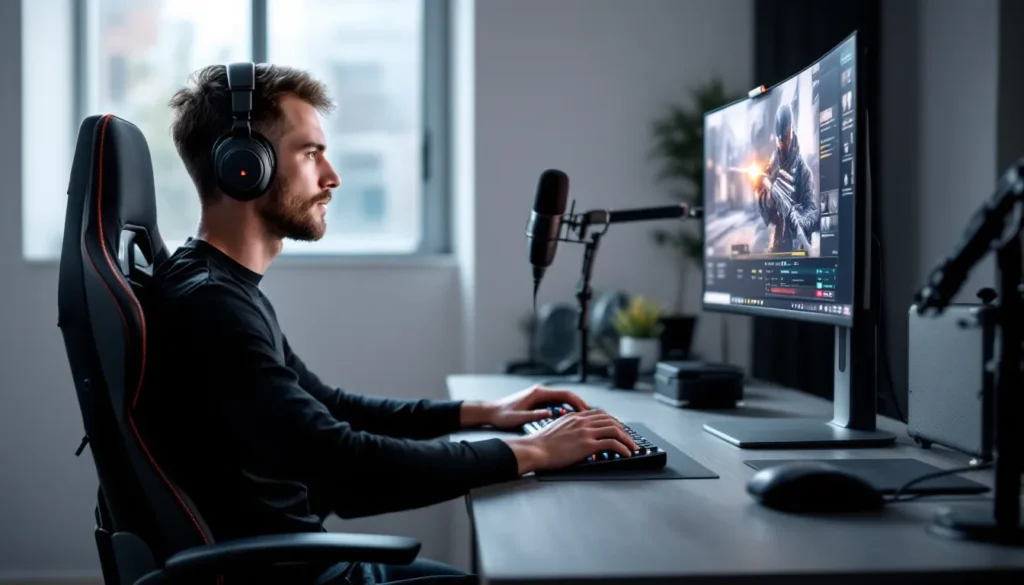
If you’ve been grinding ranked matches with a standard gaming headset, you might be leaving audio performance on the table. In-ear monitors, the same tech that stage musicians rely on for pristine sound, have quietly become a secret weapon for gamers who take audio seriously. Whether you’re hunting footsteps in Valorant, tracking enemy positioning in Warzone, or getting lost in the soundscapes of Elden Ring, IEMs deliver a level of clarity and detail that most gaming headsets can’t touch.
The shift isn’t just happening in audiophile circles anymore. Competitive players, streamers, and everyday gamers are ditching bulky headsets for these compact, precise drivers. And it makes sense: better sound separation, superior noise isolation, and a fatigue-free fit for marathon sessions. But with hundreds of models on the market, ranging from $20 budget picks to $1,000+ audiophile rigs, knowing what to look for and how to optimize them for gaming isn’t always straightforward.
This guide breaks down everything you need to know about using in-ear monitors for gaming in 2026: what makes them different, how they boost performance, which features actually matter, and how to pick the right pair for your platform and budget.
Key Takeaways
- In-ear monitors for gaming deliver superior sound imaging and positional accuracy compared to standard gaming headsets, giving competitive players a critical edge in tactical shooters like Valorant and Warzone.
- IEMs provide passive noise isolation without battery drain or latency, allowing gamers to hear detailed audio cues like footsteps and reload sounds with precision that flat consumer earbuds cannot match.
- Quality in-ear monitors under $100—such as the Moondrop Chu II ($20) and Truthear x Crinacle Zero: RED ($55)—outperform gaming headsets in pure audio fidelity, making them an affordable entry point for serious gamers.
- Proper IEM fit, correct ear tip selection, and custom EQ tuning are essential to unlock full audio performance and eliminate listening fatigue during extended gaming sessions.
- Gaming-focused in-ear monitor setups require pairing with an external microphone, dedicated DAC/amp, and platform-specific optimization to achieve the best results across PC, console, and mobile platforms.
What Are In-Ear Monitors and Why Gamers Are Making the Switch
Understanding the Difference Between IEMs and Gaming Earbuds
Let’s clear this up right away: in-ear monitors and gaming earbuds aren’t the same thing, even though they both sit in your ear canal. IEMs are precision audio devices originally designed for professional musicians and audio engineers who need accurate, uncolored sound reproduction. They use dedicated drivers (sometimes multiple per ear) housed in a shell that creates a tight seal in your ear canal.
Gaming earbuds, like the ones bundled with smartphones or marketed as “gaming buds”, typically use a single dynamic driver and prioritize convenience over accuracy. They’re often tuned with heavy bass boosts and lack the sound separation IEMs provide. The fit is usually looser, which means worse noise isolation and sound leakage.
The technical gap shows up in real gameplay. IEMs deliver individual instrument (or in gaming terms, sound effect) clarity that consumer earbuds flatten into mush. When you’re listening for a defuse kit click or distant reload sounds, that separation is the difference between a good read and a missed callout.
Key Advantages of Using In-Ear Monitors for Gaming
So why are more gamers going this route? The benefits stack up fast:
Superior sound imaging and positional accuracy. IEMs excel at placing sounds in 3D space. In competitive shooters, that means you can pinpoint exactly where footsteps are coming from, left rear, above right, second floor, with scary precision.
Passive noise isolation that doesn’t require batteries. The tight seal blocks external noise better than most active noise cancellation, and it happens mechanically. No latency, no battery drain, no processing artifacts. When you’re deep in a clutch round, you won’t hear your roommate’s Netflix binge.
Zero pressure on your skull. Headsets, even premium ones, create hotspots and clamp force. After four hours, that padding gets uncomfortable. IEMs weigh almost nothing and distribute pressure evenly in the ear canal. Players running 8+ hour sessions notice the difference immediately.
Portability and versatility. A good IEM setup fits in your pocket. You can use the same pair for gaming at your desk, commuting, gym sessions, and music production. Try doing that with an RGB headset.
Cleaner desk aesthetics. If you’re running a minimalist setup or streaming with a clean background, IEMs let you use a dedicated mic arm without headset cables cluttering your field of view.
How In-Ear Monitors Enhance Your Gaming Performance
Pinpoint Sound Accuracy for Competitive FPS and Battle Royale Games
In tactical shooters and battle royales, audio cues are as critical as crosshair placement. Counter-Strike 2, Valorant, Apex Legends, and Call of Duty: Warzone all rely on spatial audio to convey enemy positioning, and IEMs handle this with surgical precision.
The reason? Driver separation and low distortion. Multi-driver IEMs dedicate different drivers to specific frequency ranges, bass, mids, treble, so sounds don’t bleed into each other. When someone rotates through mid on Dust2 or cracks a shield cell behind a rock in Apex, you hear it clearly, not buried under ambient noise or bass rumble.
Many professional esports players have switched to IEMs for exactly this reason, as highlighted by pro player setups documented on ProSettings. The consistency and clarity help players react faster and make smarter positioning decisions. In a game where 50ms can decide a gunfight, cleaner audio input gives you an edge.
Immersive Soundstage for RPGs and Story-Driven Experiences
Competitive accuracy is one thing, but immersion is where IEMs really shine for single-player gamers. Open-back and hybrid IEMs create a wide soundstage, the sense of space and depth in audio, that pulls you into the game world.
In Baldur’s Gate 3, environmental audio layers (wind, distant conversations, crackling fires) sit in distinct positions around you. In Cyberpunk 2077 or Red Dead Redemption 2, the soundscape becomes a living, breathing element of storytelling. You’re not just hearing the game: you’re inside it.
Unlike gaming headsets that artificially widen soundstage with DSP tricks, IEMs achieve this through acoustic design and driver tuning. The result is more natural, less fatiguing, and doesn’t introduce the hollow “concert hall” effect some virtual surround implementations suffer from.
Noise Isolation and Focus During Intense Gaming Sessions
Passive isolation is an underrated performance feature. A proper ear tip seal blocks 20-30dB of external noise, which means your brain isn’t constantly filtering out background distractions.
For streamers and content creators, this matters even more. You can record voiceovers or communicate with teammates without keyboard clacks, fan noise, or household sounds bleeding into your awareness. The mental bandwidth you save from not processing ambient noise translates to better focus and faster decision-making during clutch moments.
And because the isolation is passive, there’s no latency introduced by ANC processing, critical for rhythm games like osu. or competitive FPS where even 10ms of delay throws off your timing.
Essential Features to Look for in Gaming In-Ear Monitors
Driver Configuration: Single vs. Multi-Driver IEMs
Single dynamic driver (DD) IEMs use one driver per ear to handle all frequencies. They’re simpler, more affordable, and often deliver punchy bass with good coherence (since one driver handles everything, there’s no crossover blending).
They work great for gaming if tuned well, plenty of competitive players use single-DD models because they emphasize mid-range clarity and don’t over-complicate the sound signature.
Multi-driver IEMs split frequency duties across multiple balanced armature (BA) drivers or a hybrid of dynamic + BA drivers. A typical configuration might be:
- 1 dynamic driver for bass (20Hz–200Hz)
- 2 BA drivers for mids (200Hz–4kHz)
- 1–2 BA drivers for treble (4kHz–20kHz)
This setup delivers better separation and detail retrieval, which is clutch for hearing layered audio cues. The downside? Multi-driver IEMs cost more and require better tuning to avoid awkward frequency transitions.
For gaming, you don’t need a 10-driver setup. A well-tuned single-DD or a 2–4 driver hybrid usually hits the sweet spot for performance and price.
Frequency Response and Sound Signature for Gaming
Not all IEMs are tuned equally. Here’s what to prioritize for gaming:
Enhanced mids (500Hz–3kHz): This is where footsteps, voices, reloads, and ability sounds live. A recessed mid-range will bury critical audio cues under bass and treble.
Controlled bass (20Hz–200Hz): You want enough sub-bass for explosions and engine rumbles to feel impactful, but too much mid-bass muddies everything. Avoid overly bassy “fun” tunings unless you only play casual single-player games.
Extended treble (4kHz–10kHz): Helps with directionality and picking out high-frequency details like distant gunfire or glass breaking. But avoid harsh peaks around 8kHz, they cause fatigue during long sessions.
The “Harman target” or neutral-bright tunings are solid starting points for gaming. Avoid V-shaped (boosted bass + treble, scooped mids) signatures unless you’re specifically into immersive, cinematic gaming over competitive play.
Microphone Quality and Communication Options
Most IEMs don’t include mics, or they come with basic inline mics that sound like you’re calling from a tin can. If voice comms matter, you have a few routes:
Detachable cable with inline mic: Affordable, but quality is hit-or-miss. Fine for casual Discord calls, not ideal for streaming or ranked comms.
Bluetooth IEMs with built-in mics: Wireless models like the Moondrop Space Travel or 7Hz Salnotes Zero 2 wireless variants include mics. Audio quality is good, but you’re introducing latency (typically 40–80ms even with aptX Low Latency).
External mic setup: The best option for serious gamers. Pair your IEMs with a Blue Yeti, Shure SM7B, or a budget Fifine dynamic mic. Your voice quality jumps dramatically, and you avoid the compromises of integrated mics.
Platform note: if you’re on console (PlayStation 5, Xbox Series X/S), you’ll need a mic either via inline cable or a USB mic plugged into the console. PC gamers have the most flexibility here.
Cable Quality, Detachability, and Wireless Considerations
Cable quality matters more than you’d think. Cheap cables tangle, create microphonics (the thumping noise when the cable rubs your shirt), and fail at the connectors. Look for:
- Detachable cables with MMCX or 2-pin (0.78mm) connectors so you can swap cables if they break
- Braided or fabric-wrapped cables to reduce tangles and microphonics
- Over-ear cable routing (the cable loops over your ear) for stability
If you want wireless, understand the trade-offs. Bluetooth IEMs add convenience but introduce latency and require charging. For competitive gaming, wired is still king. For RPGs, open-world games, or casual sessions, wireless works fine, just stick to aptX Low Latency or LDAC codecs.
Pro tip: Some gamers run wired IEMs with a Bluetooth adapter (like the FiiO BTR5 or Qudelix 5K) clipped to their shirt. You get the option to go wireless without committing to a wireless-only model.
Comfort, Fit, and Ear Tip Selection for Extended Play
If your IEMs don’t fit right, nothing else matters. A poor seal kills sound quality, isolation, and comfort.
Shell material and size: Resin and metal shells are common. Metal feels premium but can get cold: resin is lighter and warmer. Universal-fit IEMs come in various sizes, if you have small ear canals, look for compact models like the Moondrop Chu II or Truthear Hola.
Ear tips are everything. Stock tips are often mediocre. Experiment with:
- Silicone tips (affordable, durable, good seal)
- Foam tips (best isolation, most comfortable, wear out faster)
- Hybrid tips (silicone with foam core)
Popular aftermarket options include Spinfit CP100, Comply Foam, and Azla SednaEarfit. Spending $10–$20 on better tips can transform a mediocre fit into an all-day comfortable seal.
For marathon gaming sessions (6+ hours), lighter IEMs (under 6g per side) and foam tips reduce fatigue significantly.
Top In-Ear Monitor Picks for Different Gaming Platforms
Best IEMs for PC Gaming Setups
PC gamers have the most flexibility: you control the DAC, the amp, the EQ, and the software stack. That means you can run higher-impedance IEMs and tweak sound signatures to match different games.
Budget pick: Moondrop Chu II ($20–$25). Single dynamic driver, neutral tuning, shockingly good imaging for the price. Pair it with Equalizer APO and you’ve got a competitive FPS setup for under $30.
Mid-range: Truthear x Crinacle Zero: RED ($55). Excellent bass extension, clear mids, and a detachable cable. Great all-rounder for both competitive and single-player gaming.
High-end: Blessing 3 by Moondrop ($320). Five-driver hybrid with outstanding detail retrieval and soundstage. If you’re splitting time between Counter-Strike 2 scrims and Baldur’s Gate 3 playthroughs, this handles both beautifully.
If your motherboard audio is weak, add a Schiit Fulla or FiiO K7 DAC/amp. The difference in clarity and volume headroom is immediately noticeable, especially with multi-driver IEMs.
Optimal Choices for Console Gaming (PlayStation, Xbox, Nintendo Switch)
Console gamers need IEMs that sound good straight from the controller’s 3.5mm jack (or USB-C on Switch). That means efficient, low-impedance models that don’t need external amplification.
**For PlayStation 5 / Xbox Series X
|
S:**
- 7Hz Salnotes Zero ($20): Wildly popular budget IEM with great imaging and easy driveability. Plug into your DualSense or Xbox controller and you’re set.
- Tin HiFi T3 Plus ($70): Slightly warm, fun signature with good sub-bass for action games. Comfortable for long sessions.
For Nintendo Switch:
The Switch’s audio output (via headphone jack or USB-C adapter) is decent but not stellar. Stick to efficient IEMs and avoid anything over 32Ω impedance.
- Moondrop Aria ($80): Smooth, balanced sound with excellent build quality. Perfect for Tears of the Kingdom, Splatoon 3, or portable Hades runs.
- KZ ZSN Pro X ($25): Budget multi-driver option with punchy bass. Great if you want a cheap backup pair for handheld gaming.
Mic solution for console: Use an inline mic cable or a USB mic plugged into the console. The V-Moda BoomPro is a popular choice but requires a compatible IEM cable connector.
Premium Mobile Gaming IEMs for On-the-Go Performance
Mobile gaming has exploded, PUBG Mobile, Genshin Impact, Call of Duty Mobile, League of Legends: Wild Rift, and serious players need serious audio.
Prioritize:
- Low impedance (16–32Ω) for efficient smartphone driving
- Compact shells that don’t protrude too much (better for holding phone horizontally)
- Detachable cables so you can swap to a shorter cable or a Bluetooth adapter
Top picks:
- Moondrop Space Travel ($50): Lightweight, great imaging, easy to drive from any smartphone.
- Truthear Hola ($20): Budget beast with neutral tuning and a low-profile fit.
- Dunu Titan S ($90): Beryllium-coated driver with incredible clarity and speed, perfect for fast-paced shooters.
Many mobile gamers reviewed by PCMag prefer wired IEMs over wireless to avoid latency during competitive matches. If you do go wireless, use earbuds with gaming modes (like Razer Hammerhead HyperSpeed or ASUS ROG Cetra) that reduce latency to under 60ms.
Budget Breakdown: Finding the Right IEM for Your Price Range
Entry-Level Options Under $100
You don’t need to spend hundreds to get solid gaming audio. The sub-$100 IEM market is stacked with value.
Under $30:
- Moondrop Chu II ($20): Best tuning in the price bracket, detachable cable, metal shell. The go-to budget pick.
- 7Hz Salnotes Zero ($20): Slightly warmer than the Chu II, excellent bass extension.
- Truthear Hola ($20): Compact fit, neutral sound, great for small ears.
$30–$60:
- Truthear x Crinacle Zero: RED ($55): Step up in build quality and bass impact. One of the best gaming IEMs under $100.
- KZ ZSN Pro X ($25): Multi-driver hybrid, V-shaped fun sound. Not the most accurate, but engaging for action games.
- Tin HiFi T2 Plus ($50): Smooth, balanced, slightly warm. Great for long sessions.
$60–$100:
- Moondrop Aria ($80): Beautiful resin shells, great fit, natural sound. The most popular IEM in this tier.
- Tin HiFi T3 Plus ($70): Excellent detail and imaging, slightly bass-boosted.
- Tripowin x HBB Olina ($100): Warm, smooth, with impressive soundstage for the price.
All of these will outperform most $100–$150 gaming headsets in pure audio quality.
Mid-Range Performance Between $100–$300
This is where IEMs start to pull ahead dramatically. You’re getting multi-driver configurations, better cables, premium accessories, and tuning that rivals $500+ headphones.
$100–$150:
- Moondrop Kato ($150): Single dynamic driver, excellent bass texture, stunning build.
- Shuoer S12 ($150): Planar magnetic driver, incredibly fast transient response, great for FPS where speed matters.
$150–$300:
- Moondrop Blessing 3 ($320, slightly over but worth mentioning): Five-driver hybrid, top-tier detail retrieval.
- Dunu SA6 ($280): Six BA drivers, modular tuning switches. You can adjust the sound signature for different game genres.
- Thieaudio Monarch Mk2 ($300): Seven-driver tribrid, audiophile-grade imaging and soundstage.
At this level, consider adding a DAC/amp if you’re on PC. A FiiO K7 or iFi Zen DAC will unlock the full potential of these IEMs.
High-End Audiophile IEMs for Serious Gamers
If you’ve got the budget and want the absolute best, high-end IEMs deliver reference-grade audio that no gaming headset can touch.
$500–$1,000:
- Campfire Audio Andromeda 2020 ($1,100): Five BA drivers, holographic soundstage, stunning industrial design.
- 64 Audio U12t ($2,000): Twelve BA drivers, tour-grade IEMs used by professional musicians. Overkill for gaming? Maybe. Incredible? Absolutely.
- Unique Melody MEXT ($650): Eight-driver hybrid, customizable sound, excellent for both music production and gaming.
$1,000+:
- Empire Ears Legend X ($2,300): Dual dynamic driver + quad BA, best-in-class bass and imaging.
- Vision Ears VE8 ($2,600): Eight BA drivers, custom tuning, used by pro audio engineers.
At this tier, you’re paying for hand-assembled craftsmanship, exotic driver materials, and tuning precision. The performance gains are real, but diminishing returns kick in hard. Most gamers will be perfectly served by the $100–$300 range unless they’re also serious about music or audio production.
Setting Up and Optimizing Your In-Ear Monitors for Gaming
Proper Insertion Technique and Achieving the Perfect Seal
A bad fit ruins everything. Here’s how to insert IEMs correctly:
- Pull your ear up and back to straighten the ear canal (this is key, most people skip it).
- Insert the IEM and twist slightly until you feel a seal. You’ll know it’s sealed when outside noise drops noticeably.
- Check the cable routing. For over-ear designs, the cable should loop over the top of your ear and hang down behind it.
If you’re not getting a seal:
- Try a different ear tip size (go one size up or down)
- Switch tip material (silicone to foam or vice versa)
- Ensure the nozzle length matches your ear canal depth (some IEMs have shallow insertion, others go deeper)
A proper seal boosts bass response by 5–10dB and improves isolation dramatically. If bass sounds thin, your seal is probably broken.
EQ Settings and Software Tweaks for Different Game Genres
Even well-tuned IEMs benefit from genre-specific EQ tweaks. Here’s a starting point:
For competitive FPS (Counter-Strike 2, Valorant, Apex Legends):
- Boost 1–3kHz by +2 to +4dB to emphasize footsteps and voice comms
- Cut sub-bass below 60Hz by -2dB to reduce distraction from rumble
- Slight boost at 6–8kHz (+1 to +2dB) for better directional cues
For RPGs and open-world (Elden Ring, Cyberpunk 2077, Baldur’s Gate 3):
- Leave mostly flat or use the Harman target curve
- Slight bass boost (+2dB at 60Hz) for cinematic impact
- Avoid treble boosts, you want smooth, fatigue-free listening
For battle royales (Warzone, PUBG, Fortnite):
- Similar to competitive FPS but with a bit more low-end (+1 to +2dB at 100Hz) for explosions and vehicles
PC Software:
- Equalizer APO (free, Windows): Most powerful, works with Peace GUI for easier control
- Voicemeeter Banana (free, Windows): Advanced routing and EQ
- SoundSource (Mac, $39): Best option for macOS users
For console, you’re limited to in-game audio settings unless you use an external DAC/amp with built-in EQ (like the Creative Sound Blaster X3 or Astro MixAmp).
Adding External Microphones and Gaming DAC/Amps
Microphone options:
Since most IEMs lack quality mics, add one of these:
- Desk mics: Blue Yeti (USB, $100), Shure SM7B (XLR, $400), HyperX QuadCast (USB, $140)
- Boom arms: Rode PSA1 or cheap Amazon arms, get the mic closer to your mouth for better voice isolation
- Lavalier mics: Cheap backup option: clip a $15 lav mic to your shirt
DAC/Amp recommendations:
If your IEMs sound quiet, distorted, or lack bass, your source is underpowering them. Detailed testing by RTINGS shows that even mid-range IEMs benefit from dedicated amplification.
Budget ($50–$100):
- Apple USB-C to 3.5mm dongle ($9): Shockingly good for $9. Powers most IEMs cleanly.
- Tempotec Sonata HD Pro ($40): Excellent mobile DAC/amp.
- FiiO KA3 ($80): Compact, powerful, great for PC and mobile.
Mid-range ($100–$300):
- Qudelix 5K ($110): Bluetooth DAC/amp with app-based EQ. One of the best all-rounders.
- FiiO K7 ($200): Desktop DAC/amp, plenty of power for any IEM.
- Schiit Fulla ($110): Clean, simple, works great with PC.
High-end ($300+):
- iFi Zen DAC V2 ($200): Warm, musical sound, good for long sessions.
- Topping DX3 Pro+ ($250): Clinical accuracy, tons of power.
- Schiit Magni/Modi stack ($200–$240): Separate DAC and amp, enthusiast favorite.
For console, look for USB DAC/amps compatible with PS5/Xbox like the Creative Sound Blaster X3 or Astro MixAmp Pro.
Common Issues and Troubleshooting Tips
Dealing with Ear Fatigue and Discomfort
Ear fatigue comes in two flavors: physical and listening.
Physical discomfort usually means:
- Wrong ear tip size. Try going up or down a size.
- Insertion too deep. Some IEMs (especially multi-driver models with long nozzles) can press against sensitive parts of your ear canal. Switch to shallow-fit tips or models with shorter nozzles.
- Shell shape mismatch. Not every IEM fits every ear. If the shell constantly pushes against your outer ear, you might need a different model.
Listening fatigue (ears feel tired, sound becomes harsh):
- Treble peaks around 5–8kHz cause this. Use EQ to cut those frequencies by -2 to -4dB.
- Volume too high. If you’re cranking volume to hear footsteps, your tuning or source is wrong. Fix it with EQ or a better DAC, not more volume.
- Poor seal causing compensation. If your seal breaks, you lose bass and instinctively turn up the volume, which fatigues your ears faster.
Take breaks. Even the most comfortable IEMs benefit from 10-minute breaks every 2–3 hours.
Fixing Cable Noise and Microphonics
Microphonics, that annoying thumping when your cable rubs against your shirt, is fixable:
- Use over-ear cable routing. The cable should loop over the top of your ear, not hang straight down. This isolates cable movement from your ear canal.
- Upgrade to a better cable. Braided or fabric-wrapped cables reduce microphonics significantly. Avoid cheap rubber cables.
- Use a shirt clip. Clip the cable to your collar to minimize movement below the clip point.
- Switch to wireless. If microphonics drive you crazy and you don’t play ultra-competitive games, a Bluetooth adapter eliminates the problem.
Cable memory (kinked, twisted cables):
- Hang your IEMs when not in use to let gravity straighten the cable
- Use a cable with memory wire (pre-formed ear hooks) or heat-shrink tubing to maintain shape
- For stubborn kinks, gently warm the cable with a hairdryer (low heat) and straighten by hand
Maintaining and Cleaning Your IEMs for Longevity
IEMs get gross fast, earwax, dust, skin oils. Clean them regularly or you’ll clog the nozzles and degrade sound quality.
Daily/weekly maintenance:
- Remove ear tips and wipe down the IEM shells with a slightly damp microfiber cloth
- Clean ear tips separately with mild soap and water, let them dry completely before reattaching
- Check nozzle filters/mesh for wax buildup. Use a soft brush (an old toothbrush works) to gently clear debris.
Deep cleaning (monthly):
- Remove nozzle filters if replaceable (check your IEM’s manual). Clean or replace them.
- Use isopropyl alcohol (70% or higher) on a cotton swab to clean metal parts. Avoid getting alcohol inside the driver housing.
- Inspect cables for fraying, especially near connectors. Replace if damaged.
Storage tips:
- Use a hard case. Throwing IEMs loose in a bag will damage cables and shells.
- Don’t wrap the cable too tightly. Loose coils prevent cable memory and stress on connectors.
- Keep away from extreme heat. Don’t leave them in a hot car, it can damage adhesives and drivers.
Replace foam tips every 2–3 months (they compress and lose effectiveness). Silicone tips can last years if cleaned regularly.
IEMs vs. Gaming Headsets: Making the Right Choice for Your Needs
Let’s be real: IEMs aren’t for everyone. Here’s when each makes sense.
Choose IEMs if you:
- Prioritize audio quality and accuracy over convenience
- Play competitive FPS where precise positional audio is critical
- Want maximum portability, same gear for gaming, commuting, gym
- Suffer from headset clamp fatigue during long sessions
- Already own or plan to buy a dedicated microphone
- Enjoy tweaking sound with EQ and DAC/amps
- Value passive noise isolation for focus
Choose a gaming headset if you:
- Need an all-in-one solution with built-in mic
- Prefer the feel and presence of over-ear/on-ear designs
- Play casually and don’t want to fuss with separate mic setups
- Want wireless freedom without audio quality compromises (many wireless headsets use proprietary low-latency protocols)
- Play on console primarily and want plug-and-play simplicity
- Don’t want to deal with ear tip fitting and insertion
The hybrid approach:
Many gamers run both. IEMs for ranked sweats and late-night sessions, headsets for casual party games with friends. Or IEMs at the desk, headset for couch console gaming. There’s no rule saying you can’t own multiple audio setups for different contexts.
Sound quality reality check:
A $100 IEM will almost always outperform a $100 gaming headset in pure sound quality. Gaming headsets at that price point are paying for RGB lighting, branding, mic integration, and marketing, not driver performance. IEMs put 100% of the budget into the audio.
That gap narrows at the high end. A $300 headset like the SteelSeries Arctis Nova Pro or Audeze Maxwell delivers excellent sound with the convenience of wireless and integrated mic. But a $300 IEM setup (IEM + DAC + mic) will still edge it out in clarity and detail.
Bottom line: if audio fidelity is your priority and you’re willing to handle mic separately, IEMs win. If convenience and integration matter more, stick with headsets.
Conclusion
In-ear monitors have moved from niche audiophile territory into mainstream gaming for good reason. The combination of superior sound imaging, passive isolation, all-day comfort, and cross-platform versatility makes them a compelling alternative to traditional gaming headsets, especially for players who take their audio seriously.
Whether you’re running a budget Moondrop Chu II for ranked Valorant or a high-end Blessing 3 for immersive RPG marathons, the core advantage stays the same: cleaner, more accurate sound that helps you play better and enjoy games more. The learning curve, finding the right fit, pairing with a mic, maybe adding a DAC, pays off in performance and comfort that headsets struggle to match.
As the gaming audio landscape keeps evolving in 2026, more players are discovering what musicians have known for decades: when it comes to hearing every detail, nothing beats a quality set of in-ear monitors. If you haven’t tried them yet, grab a $20 budget pair and see what you’ve been missing. Chances are, you won’t go back.