
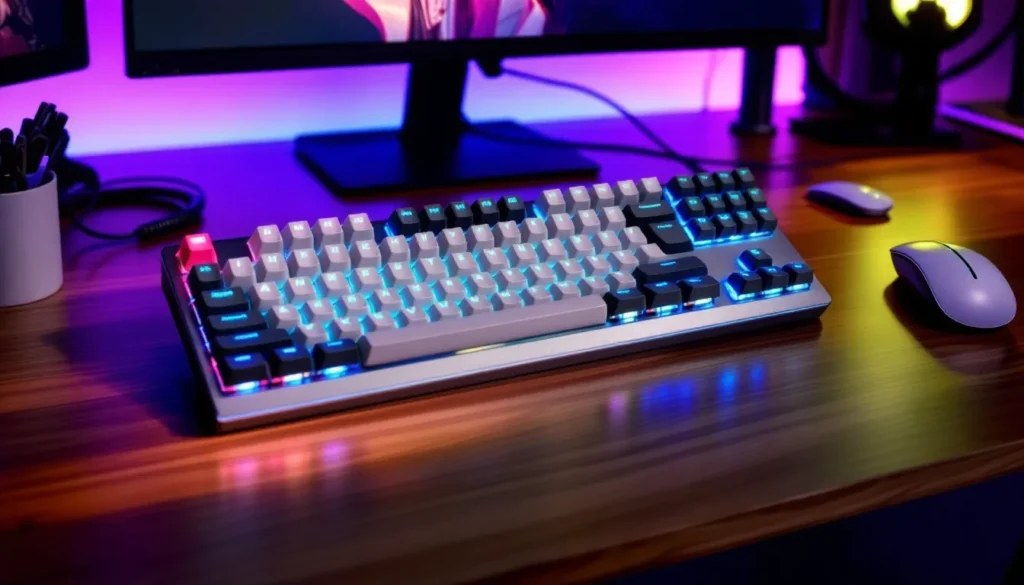
Low profile gaming keyboards have exploded in popularity over the last couple of years, and it’s not hard to see why. These sleek peripherals promise faster actuation, better ergonomics, and a modern aesthetic that looks clean on any setup. But with more manufacturers jumping into the low profile space in 2026, the choices can feel overwhelming.
Whether you’re a competitive FPS player chasing every millisecond advantage, an MMO enthusiast who needs macro versatility, or just someone tired of wrist strain after marathon gaming sessions, low profile keyboards offer tangible benefits that go beyond looks. They’re not just a trend, they’re a legitimate evolution in gaming peripheral design.
This guide breaks down everything you need to know about low profile gaming keyboards: what makes them different, why they’re worth considering, which switches actually matter, and how to pick the best one for your playstyle and budget. No fluff, just actionable insights to help you make the right call.
Key Takeaways
- Low profile gaming keyboards feature switches that are 1.2-1.5mm actuation points and 2.5-3mm total travel, enabling faster inputs and reduced finger fatigue compared to standard mechanical boards.
- Linear low profile switches dominate FPS gaming with smooth, consistent actuation, while tactile variants serve MOBA and strategy games that require precise keybind accuracy.
- Popular low profile switch brands like Kailh Choc, Cherry MX Low Profile, and Gateron offer competitive performance, with Kailh dominating the market through superior consistency and durability ratings.
- Wireless low profile keyboards with 2.4GHz connectivity now deliver sub-1ms latency that matches wired performance, making them viable for competitive esports without sacrificing responsiveness.
- Keycap customization remains limited compared to standard mechanical keyboards, with only about 5% of the aftermarket selection available, requiring users to accept stock keycaps or embrace RGB alternatives.
- An adjustment period of 1-2 weeks is normal when switching to low profile gaming keyboards, with muscle memory adaptation critical for competitive players before achieving baseline performance.
What Are Low Profile Gaming Keyboards?
A low profile gaming keyboard uses shorter switches and keycaps than traditional mechanical keyboards, resulting in a significantly reduced height from desk to keytop. Where standard mechanical keyboards typically sit around 30-40mm tall (excluding feet), low profile designs usually measure 20-30mm or less.
The result? A slimmer, more compact form factor that changes the typing and gaming experience. The switches themselves are engineered differently, often using modified stem designs and shorter actuation points to maintain tactile feedback and performance in a smaller package.
These keyboards aren’t just standard boards with the keycaps shaved down. The entire switch housing, stabilizers, and PCB design are rethought to accommodate the reduced travel distance while maintaining durability and responsiveness. Many feature integrated switch plates and unique mounting systems to keep everything stable even though the thinner profile.
Key Differences Between Low Profile and Standard Keyboards
The most obvious difference is switch height. Standard mechanical switches (like Cherry MX) measure about 11.6mm tall with 4mm total travel distance and 2mm actuation point. Low profile switches clock in around 6-7mm tall with 2.5-3mm total travel and 1.2-1.5mm actuation.
Keycap compatibility is another major distinction. Low profile keyboards use proprietary keycap designs that won’t fit standard Cherry MX stems. This limits aftermarket customization options, though the situation has improved significantly in 2026 with more third-party keycap sets becoming available.
Typing angle and ergonomics shift dramatically. The reduced height means your wrists sit flatter relative to the keys, which some users find more comfortable for extended sessions. Others miss the slightly elevated position of traditional boards. It’s genuinely preference-dependent.
Actuation force and feedback can vary. Low profile switches typically range from 40-60g actuation force, similar to standard switches, but the shorter throw means less finger travel per keystroke. That translates to potentially faster inputs, assuming you adapt to the different feel.
Finally, sound profile tends to be different. Low profile keyboards generally produce a higher-pitched, sharper acoustic signature compared to the deeper thock of standard mechanical boards. Enthusiasts debate endlessly about which sounds better, but it’s worth testing if audio aesthetics matter to you.
Why Gamers Are Switching to Low Profile Keyboards in 2026
The shift toward low profile gaming keyboards isn’t just hype, there are legitimate performance and comfort advantages driving adoption across casual and competitive gaming communities.
Faster Actuation and Reduced Travel Distance
This is the big one for competitive players. With actuation points sitting at 1.2-1.5mm instead of the standard 2mm, low profile switches register inputs faster. The reduced total travel distance (around 2.5-3mm versus 4mm) means your fingers physically move less between keypresses.
Does this actually matter in-game? For high-level play, absolutely. In games like Valorant, Counter-Strike 2, or Apex Legends where reaction time measured in single-digit milliseconds can determine gunfights, shaving off even 5-10ms per input adds up. Pro players have increasingly adopted low profile boards throughout 2025 and into 2026, with several esports tournament setups now featuring them as standard options.
For rhythm games, MOBAs, and any genre requiring rapid key sequences, the shorter throw reduces finger fatigue during extended sessions. Your APM ceiling might not increase dramatically, but sustaining high input rates becomes more comfortable.
Improved Ergonomics and Wrist Comfort
The lower deck height creates a more neutral wrist position, especially if you’re not using a wrist rest. Standard keyboards often force an upward angle at the wrist joint, which can contribute to strain and RSI symptoms over time.
Many gamers report reduced wrist discomfort after switching to low profile keyboards, particularly during marathon sessions. The flatter angle aligns better with natural arm position when desk height is properly adjusted. That said, ergonomics are highly individual, some users with larger hands or specific grip styles actually prefer the elevation of standard boards.
The difference is most noticeable if you game without a wrist rest. Low profile designs minimize the gap between desk surface and keytops, reducing the need for additional support accessories.
Portability for LAN Parties and Tournaments
Low profile keyboards are legitimately easier to transport. The reduced thickness and often lighter weight make them ideal for LAN events, gaming cafes, or any scenario where you’re moving your setup frequently.
Many models in 2026 now feature detachable USB-C cables and protective carrying cases designed specifically for the slimmer form factor. If you compete in local tournaments or regularly game at friends’ houses, the portability advantage is tangible.
Wireless low profile models have particularly gained traction in the portable gaming market, offering lag-free 2.4GHz connectivity in packages that slip easily into backpacks without the bulk of traditional mechanical boards.
Types of Low Profile Mechanical Switches Explained
Understanding low profile switches is crucial because they fundamentally shape your gaming experience. Unlike standard switches where Cherry MX has long dominated, the low profile space features more competition and variation.
Linear vs. Tactile vs. Clicky Low Profile Switches
Linear switches move smoothly from top to bottom without any tactile bump or audible click. They’re favored for gaming because they offer consistent resistance and fast actuation without feedback that might slow down rapid keypresses. Popular for FPS, battle royale, and any genre where double-tapping and quick inputs matter.
Low profile linears typically actuate at 1.2-1.5mm with 40-50g force. They’re smooth, quiet(ish), and consistent. If you’re coming from Cherry MX Reds or Silvers, low profile linears will feel familiar but noticeably shorter in travel.
Tactile switches provide a noticeable bump at the actuation point, giving physical feedback when the keystroke registers. This helps with typing accuracy and can reduce accidental keypresses during intense gaming moments.
For MOBA and MMO players who need precision across dozens of keybinds, tactile switches offer confirmation without requiring bottoming out. The bump typically occurs right at or slightly before the 1.5mm actuation point. Force requirements usually range 50-60g.
Clicky switches combine the tactile bump with an audible click sound. They’re the loudest option and generally least popular for gaming due to the additional resistance and acoustic distraction. Some rhythm game players swear by them, but most competitive gamers avoid clicky switches for multiplayer environments.
In low profile form, clicky switches maintain their distinctive sound but with a higher-pitched signature than standard Cherry MX Blues or Greens.
Popular Low Profile Switch Brands (Kailh, Cherry, Gateron)
Kailh Choc switches dominate the low profile market in 2026. The Choc V1 and V2 lines offer linear, tactile, and clicky variants with excellent consistency and durability ratings up to 50 million keystrokes. Choc switches measure around 6.2mm tall and are found in keyboards from Logitech, Keychron, and numerous boutique brands.
Kailh Choc Pro switches (introduced in late 2024) pushed performance further with 1.0mm actuation points and improved factory lubing. They’ve become the go-to for competitive gaming applications where every millisecond counts.
Cherry MX Low Profile (also called Cherry MX ULP) entered the market in 2023 and gained traction through 2025-2026. These switches bring Cherry’s legendary quality control to the low profile space with 3.2mm total travel and 1.2mm actuation. They’re slightly taller than Kailh Choc switches but many users find the extra millimeter provides better feedback.
Cherry MX Low Profile switches come in Red (linear, 45g), Speed (linear, 45g with 1.0mm actuation), and Brown (tactile, 55g) variants. They’re found primarily in Corsair and Cherry-branded keyboards.
Gateron Low Profile switches arrived more recently but have made waves with their smoothness and competitive pricing. The Gateron KS-27 and KS-33 series offer similar specs to Kailh Choc with slightly different feel characteristics that some users prefer.
Gateron’s advantage is factory tolerance, their low profile switches often feel smoother out-of-the-box than competitors, requiring less break-in period. They’re appearing in mid-range keyboards from brands like Keychron and GMMK.
Other players include Havit low profile switches (budget-focused), TTC low profile offerings (used in some Razer models), and various proprietary designs from Logitech (GL switches) and SteelSeries (their low profile OptiPoint design uses optical actuation).
Essential Features to Look for in a Low Profile Gaming Keyboard
Not all low profile gaming keyboards deliver the same value. Here’s what actually matters when you’re comparing options.
Build Quality and Materials
Aluminum chassis or metal backplates provide rigidity that prevents flex during intense gaming. Budget low profile keyboards often use full plastic construction, which can feel cheap and develop creaks over time.
Look for keyboards with metal top plates or aluminum frames. The added weight (typically 600-900g versus 400-600g for plastic) improves stability and premium feel. Models from Keychron, Corsair, and Logitech’s high-end lines consistently nail this.
Keycap material matters too. PBT keycaps resist shine and wear better than ABS plastic, maintaining texture after months of heavy use. Many low profile keyboards still ship with ABS caps to keep costs down, so check specs carefully if durability matters.
Stabilizers on larger keys (spacebar, shift, enter) separate good low profile keyboards from mediocre ones. Poorly designed stabilizers create rattle and inconsistent feel. Hardware review sites consistently test stabilizer quality as a key differentiator in keyboard evaluations.
RGB Lighting and Customization Options
Per-key RGB has become standard even on budget low profile keyboards in 2026, but implementation quality varies dramatically. Look for keyboards with individually addressable LEDs rather than zone lighting for maximum customization.
Software matters as much as hardware. Robust configuration software lets you create custom lighting profiles, sync with other peripherals, and save settings to onboard memory. Corsair iCUE, Logitech G HUB, and Razer Synapse lead here, while smaller brands often provide basic software that gets the job done without polish.
Some keyboards now support lighting effects that react to in-game events via API integration. Your health bar can pulse red, cooldowns can light up specific keys, or ammo counts can display across number rows. It’s gimmicky for some, genuinely useful for others.
Wireless vs. Wired Connectivity
Wireless low profile keyboards have improved massively. Modern 2.4GHz connections deliver sub-1ms latency that’s indistinguishable from wired in actual gameplay. Bluetooth remains hit-or-miss for competitive gaming due to higher latency (15-30ms) and occasional dropout issues.
Battery life varies wildly. Expect 30-80 hours with RGB enabled, 150-300 hours with lighting off. Some models like the Logitech G915 TKL offer quick-charge features that provide hours of use from 15-minute charges.
Wired connections eliminate any possibility of battery anxiety or wireless interference. USB-C has become standard in 2026, with most manufacturers shipping detachable braided cables. If you never move your keyboard and want one less thing to think about, wired remains perfectly viable.
Some keyboards offer tri-mode connectivity (wired USB-C, 2.4GHz wireless, and Bluetooth), giving you flexibility for different use cases. These typically cost $20-40 more than single-mode versions.
Programmable Keys and Macro Support
Dedicated macro keys are rare on low profile designs due to space constraints, but software-based key remapping is universal. Every gaming-focused low profile keyboard lets you reassign keys and create macros through companion software.
Look for keyboards with onboard memory that stores profiles directly on the board. This lets you take your configurations to tournaments or other PCs without reinstalling software.
Layer support (accessed via Fn key combinations) effectively multiplies your available keys. Advanced users can create game-specific layers that reconfigure the entire board for different titles. This is particularly valuable for MMO and strategy game players who need dozens of keybinds.
Top Low Profile Gaming Keyboards in 2026
Here are the standout options across different categories based on performance, build quality, and value. These recommendations reflect the current market as of March 2026.
Best Overall Performance
Corsair K70 RGB Low Profile remains the benchmark. It features Cherry MX Low Profile Speed switches with 1.0mm actuation, full aluminum chassis, tournament-grade build quality, and comprehensive iCUE software integration.
The K70 delivers 8,000Hz polling rate, full N-key rollover, and 8MB onboard memory for extensive profile storage. The PBT keycaps resist wear exceptionally well, and the magnetically attached wrist rest adds comfort without bulk.
At $179.99, it’s pricey but justified for serious competitive players. The combination of premium materials, responsive switches, and rock-solid reliability makes it the best low profile gaming keyboard for performance-focused users who don’t need wireless.
Best Budget-Friendly Option
Keychron K3 (Version 3) continues to dominate the budget low profile space at $79.99 for the wired version. It offers Gateron Low Profile or Kailh Choc switches (your choice), hot-swappable switch sockets for easy customization, and Mac/Windows compatibility.
The aluminum frame provides surprising rigidity for the price point, and the compact 75% layout includes arrow keys and essential function rows without wasting desk space. RGB backlighting is clean if not spectacular.
The main compromise? Software is basic compared to premium options, and the ABS keycaps will develop shine with heavy use. But for gamers on a budget who want legitimate mechanical performance in a low profile form factor, the K3 v3 crushes its price category.
Best Wireless Low Profile Keyboard
Logitech G915 TKL Lightspeed (2025 refresh) sets the wireless standard. The Lightspeed 2.4GHz connection delivers sub-1ms latency, and the 40-hour battery life with RGB (200+ with lighting off) eliminates charging anxiety.
It features Logitech’s proprietary GL switches (choose Linear, Tactile, or Clicky), aircraft-grade aluminum top case, and media controls built into the top-right corner. The volume wheel is buttery smooth and unexpectedly useful during gaming sessions.
At $229.99, it’s expensive. But the wireless performance is genuinely flawless, zero dropouts, zero input lag, zero compromises. Professional evaluations from peripheral testing sites consistently rank the G915 TKL among the best wireless gaming keyboards regardless of profile height.
The USB-C charging cable doubles as a wired connection option when needed, and onboard memory stores lighting and macro profiles for transport.
Best for Competitive Esports
Razer Huntsman V2 Analog Low Profile brings analog input to low profile form with Razer’s optical switch technology. Each key registers continuous input depth (0-100%), enabling dual-function binds and variable movement speed in supported games.
The optical actuation provides 0.2ms response time, faster than any mechanical switch design. Combined with 1.5mm actuation points and adjustable sensitivity per-key, it offers competitive advantages in twitch-based games.
The 65% layout maximizes mouse space while retaining arrow keys. Build quality is excellent with an aluminum top plate, doubleshot PBT keycaps, and a detachable USB-C cable. At $149.99, it sits in the mid-premium range.
The analog functionality isn’t universally useful, most games don’t support variable input depth from keyboards. But for titles that do (including several popular competitive FPS games as of 2026), it’s a genuine mechanical edge.
Low Profile Keyboards for Different Gaming Genres
Your ideal low profile keyboard depends partly on what you actually play. Different genres prioritize different features.
FPS and Battle Royale Games
Linear switches are king here. The smooth, consistent actuation supports rapid strafing (A-D-A-D spam), quick crouch shots, and bunny hopping without tactile resistance slowing inputs.
Prioritize keyboards with:
- 1.0-1.2mm actuation points for maximum speed
- High polling rates (2,000Hz minimum, 8,000Hz ideal)
- Compact layouts (TKL or 65%) to maximize mouse movement space
- Durable switches rated 50M+ keystrokes since WASD sees intense abuse
The reduced travel distance of low profile switches provides real advantages in games like Valorant, Call of Duty, or Apex Legends where counter-strafing accuracy and movement tech demand rapid direction changes.
Wireless models work perfectly fine, modern 2.4GHz latency is indistinguishable from wired in actual gameplay. Don’t let outdated concerns about wireless lag stop you from choosing convenience.
MOBA and Strategy Games
Tactile switches often work better for MOBAs and RTS games. The bump confirmation helps prevent misclicks when you’re managing dozens of keybinds across abilities, items, control groups, and camera controls.
Look for keyboards with:
- Layer support via Fn combinations for expanded keybinds
- Macro programming for complex ability combos or build orders
- Full layouts or 96% designs that retain number pads for control groups
- Onboard memory for saving hero-specific or game-specific profiles
In games like League of Legends, Dota 2, or StarCraft II where accuracy matters more than raw speed, the ergonomic benefits of low profile boards reduce hand fatigue during hour-long matches without sacrificing precision.
The flatter typing angle also helps during extended gaming sessions where you’re constantly issuing commands. Your wrists stay in a more neutral position compared to elevated standard boards.
MMO and RPG Games
MMOs and action RPGs present the toughest challenge for low profile keyboards because these genres traditionally benefit from extra macro keys or specialized MMO layouts with 12-button side grids.
Low profile gaming keyboards rarely include dedicated macro columns. Instead, rely on:
- Software layers to create multiple profiles accessed via Fn key
- Key remapping to place abilities on easily reached positions
- Compact layouts (75% or 65%) that keep modifier keys close to WASD
- Tactile or clicky switches for action bar confirmation
The reduced finger travel of low profile switches actually works well for games like Final Fantasy XIV, World of Warcraft, or Path of Exile where you’re executing rotation sequences repeatedly. The shorter throw reduces fatigue during raid nights.
Some players pair low profile keyboards with MMO mice (like the Logitech G600 or Razer Naga) to handle extra keybind requirements. The keyboard handles movement and primary abilities, the mouse covers secondary skills and modifiers.
Common Drawbacks and How to Overcome Them
Low profile gaming keyboards aren’t perfect. Here are the main complaints and realistic solutions.
Limited Keycap Customization Options
This is the biggest frustration for enthusiasts. Low profile switches use proprietary stems that aren’t compatible with the massive aftermarket of Cherry MX keycaps. If you love customizing your board with artisan keycaps, GMK sets, or themed collections, you’ll find slim pickings.
The situation has improved in 2026. Several manufacturers now produce low profile keycap sets in various colors and materials, and companies like Keychron sell replacement sets for Kailh Choc boards. But selection remains maybe 5% of what’s available for standard mechanical keyboards.
Workarounds:
- Buy keyboards with hot-swappable switches so you can at least customize switch feel
- Choose boards with good stock keycaps (PBT doubleshot) so replacement is less urgent
- Focus on RGB customization instead of physical keycap modding
- Accept that low profile boards prioritize performance over aesthetic customization
If keycap customization is non-negotiable for you, low profile keyboards might not be the right choice. It’s a legitimate trade-off to consider.
Adjustment Period for New Users
Switching from standard mechanical keyboards to low profile requires adaptation. The shorter travel distance and different actuation point can initially cause typos, missed inputs, or accidental keypresses as your muscle memory adjusts.
Most users report 1-2 weeks of adjustment before the new feel becomes natural. Competitive players might see temporary performance dips during this transition period.
How to adapt faster:
- Start using the low profile keyboard for casual gaming before competitive sessions
- Run aim trainers or practice modes to rebuild muscle memory in low-stakes environments
- Try typing tests to accelerate finger adjustment to the shorter travel
- Resist switching back and forth between keyboards during the break-in period
- Consider starting with tactile switches if the adjustment feels difficult, the bump provides feedback that aids adaptation
The adjustment period is temporary, but it’s real. Don’t expect to perform at 100% immediately after unboxing. Budget a couple of weeks for your fingers to recalibrate.
Tips for Maintaining Your Low Profile Gaming Keyboard
Low profile keyboards require slightly different maintenance than standard boards due to their compressed design and tighter component spacing.
Regular cleaning is more critical because the lower deck height means less clearance for dust and debris. Hair, crumbs, and particulates that might fall through standard keyboards can jam low profile switches more easily.
Use compressed air weekly if you eat/drink at your desk. Hold the can upright, use short bursts, and angle the keyboard so debris blows away from switches rather than deeper into the board. For deeper cleaning, consider a small vacuum attachment designed for keyboards.
Keycap removal requires more care. Low profile keycaps are thinner and sometimes more fragile than standard caps. Use a proper keycap puller (wire-style works best) and pull straight up with even pressure. Twisting or angling can crack the thinner plastic.
Clean keycaps separately in warm soapy water every few months. Let them dry completely (24 hours minimum) before reinstalling. While they’re off, use a microfiber cloth to wipe down the switch tops and plate.
Protect during transport if you have a portable setup. Low profile keyboards are more compact but the shorter switches can still be damaged by pressure on keycaps during travel. Many keyboards now come with protective cases, use them. If yours didn’t include one, a laptop sleeve often fits perfectly.
Firmware updates matter more than many users realize. Manufacturers regularly release updates that improve polling rate stability, fix RGB bugs, or enhance wireless connectivity. Check your keyboard software every few months for updates.
Cable care extends keyboard life. The detachable USB-C cables on most low profile keyboards are convenient but the repeated plugging/unplugging can wear the port. When disconnecting, grasp the connector housing, not the cable. Avoid excessive bending right at the port connection point.
For wireless boards, don’t let batteries fully drain repeatedly. Lithium cells last longer when kept between 20-80% charge. If you’re storing the board for extended periods, charge to about 50% first.
Switch maintenance is minimal on quality low profile keyboards. Most modern switches are pre-lubed from the factory and sealed well enough that additional maintenance isn’t necessary. If individual switches develop scratchiness or inconsistency, check for debris first. If cleaning doesn’t help, many newer boards use hot-swappable sockets that let you replace individual switches without soldering.
Conclusion
Low profile gaming keyboards have evolved from niche curiosity to legitimate competitive peripherals in 2026. The performance advantages, faster actuation, reduced finger travel, improved ergonomics, are real and measurable, particularly for FPS and fast-paced competitive genres.
They’re not universally superior to standard mechanical keyboards. The limited keycap customization frustrates enthusiasts, and some users simply prefer the deeper travel and elevated typing angle of traditional boards. That’s fine. Peripheral choice remains personal.
But if you’re experiencing wrist discomfort, chasing competitive advantages, or just want a cleaner aesthetic with tangible performance benefits, modern low profile keyboards deliver. The switch technology has matured, build quality has improved across price ranges, and wireless options now perform flawlessly.
Try one if you can. Most gaming peripheral retailers have demo units, and the feel difference is immediately apparent. Whether the shorter travel clicks with your playstyle is something you’ll know within minutes. For many gamers in 2026, low profile has become the new standard, and for good reasons that go beyond just looking sleek on your desk.